2025: Review of My Year

Blog post image: 2025 review of my year

This year started busy for me with proofreading and has turned into my best year yet for business and repeat clients. I was booked every month for the first time in my freelance business life.

Tall Tartan Talks here … I have worked hard to get to this place of stability.

Consolidating events of 2024

Looking back and reflecting on the events of last year (as mentioned in my review of 2024), the proofreading I have taken on this year has reinforced my position as an experienced and trustworthy freelance proofreader.

Monthly blog posts

In this post I give you an idea of the kind of proofreading projects I have done. It also includes links to posts that I published this year in case you missed them when I posted them on social media or in my newsletter.

Here is the link to subscribe to Tall Tartan Times: https://dashboard.mailerlite.com/forms/527762/117747043804383066/share

January

My proofreading projects were for three indie children’s book authors. You can see the cover images in the relevant genre page.

January’s blog post: What are the signs of a good listener?

February

I proofread a children’s book for a Christian publisher client #1 called I AM: Stories from the Gospel of John by Laura Cerbus.

I wrote February’s blog post after consultation with a book designer who had collaborated with one of my indie authors: How does a book designer work with an indie author?

March

My proofreading was for another three indie children’s book authors. Two of them had written a series of books on education that they wanted me to proofread. One found me through my website. The other was a referral on LinkedIn from an edibuddy who thought I was a better fit.

With the end of my financial year looming, I wrote March’s blog post called How to do a SWOT Analysis of Your Business.

April

Three proofreading jobs this month began with a repeat non-fiction publisher client. The book was called 365 Days of Self-Care and was published in November.

Also, I started proofreading for Christian publisher client #2. It involved liaising directly with the author, resolving my queries and those of the author and annotating my PDF with all comments before returning the collated PDF to the typesetter via the editorial manager.

April’s blog post was inspired by the two men in my family training for cycling events: Why editing is like long-distance cycling or any endurance sport

May

Two of the indie authors came back to me for proofreading of the second books in their series.

Completing my Self-Assessment (tax return) for HMRC prompted a review of my income and expenses. I had thoughts about how to use money through the genre I have most experience with – education: Teaching Children About Money

June

The commissioning of my new logo this year using my tartan branding prompted me to write My Branding Update.

July

I proofread a substantial non-fiction book for Christian publisher client #2. Again, I liaised with the author and learnt about systemising the queries in batches as the book was over 400 pages. The author appreciated our collaboration. As a result I wrote The Dos and Don’ts of Writing Author Queries.

BitmoAnnie says Yay

August

I proofread a non-fiction historical book for a colleague who is a book designer and subcontracts me for proofreading for her indie authors. (The same talented person who designed my logo!)

September

Once I had attended the annual conference of the Chartered Institute of Editing and Proofreading (CIEP), I wrote this blog post: CIEP2025 Conference for Editors and Proofreaders

October

I got very busy again with proofreading work from Christian publisher client #2. The Editorial Manager (EM) referred me to another EM, so two books were proofread concurrently. It became vital to schedule query responses efficiently.

Marketing when working – How?

As someone who enjoys creating valuable content and sharing my business and editing tips by blogging and through LinkedIn posts, it was a very real struggle to continue the content process while I was busy with paid work and deadlines. I mean, how?

I couldn’t even get my head around using scheduling tools to publish short posts on LinkedIn which would have been one way to maintain a visible presence. So marketing my business was paused in October and November to keep overwhelm at a manageable level.

November

Self-care continued …

December

Christian publisher client #2 got in touch with a substantial proofread of a collection of reflections. I’ll start that this month; it will take me to the end of January 2026 so starts the new year nicely. It is my fifth book this year for that client. I think they like me!

I did very little editorial training this year because I didn’t have time! The CIEP’s course Copyediting 2: Headway is on my list for next year.

How has 2025 been for you? Have you experienced feast, famine, or a controllable schedule of interesting work?

See you in 2026!

Sprinkling publishing confidence,

Annie

Annie signature

BitmoAnnie Fairy sprinkling publishing confidence

Emailing

Email to check my availability for proofreading non-fiction and children’s books.

Subscribing

Subscribe to my newsletter Tall Tartan Times to receive new posts directly to your email.

CIEP directory entry

https://www.ciep.uk/directory/annie-deakins

CIEP2025 Conference for Editors and Proofreaders

Blog post is CIEP2025 Conference 
for Editors and Proofreaders –
The Value of the Editorial Profession

I attended the annual conference of the Chartered Institute of Editing and Proofreading (CIEP) in Milton Keynes in September.

Tall Tartan Talks here … I have gone to every conference since I started my freelance proofreading business in 2017, so 2025 was my 9th conference!

Why I attend the CIEP conference

I really enjoy being back among fellow editors and proofreaders in person. I was an online delegate in 2024. Both versions of the conference offer great opportunities for networking and Continuous Professional Development (CPD).

As the sessions are recorded and run concurrently, there is the added benefit of watching missed sessions later.

Participating in whole conference sessions

All delegates gathered together for three main events:

  • A virtual Q&A with Susie Dent, the Honorary vice-president of the CIEP, interviewed by Denise Cowle, vice-chair. Susie described what it was like to have her first fiction book edited. She was relieved that her editor was going to be a human she could trust and was not going to be an AI tool.
  • Viewing the film called ‘Rebel With a Clause’: Ellen Jovin was filmed by her husband Brandt Johnson taking her Grammar Table around all 50 states of the USA. People passing asked her questions about grammar and punctuation. Her responses were sympathetic. Her book of the same name recounts those conversations. The film trailer can be found at: https://www.rebelwithaclause.com/
  • Closing discussion panel moderated by Jennie Seitz with three editors sharing their conference takeaways. It gave us all a warm fuzzy feeling as they revelled in what they had seen and heard.

Choosing sessions

I chose the following sessions to attend because I proofread non-fiction and will be training in copyediting by the end of the year:

  • Editing as a Vocation or Ikigai: Reclaiming Our Humanity in the Age of AI, presented by Dr Sara Kitaoji
  • Style sheet with editorial report, presented by Lisa de Caux
  • Why bother proofreading magazines?, presented by Louise Ellins
  • I, Human. Using your website to showcase the value of a human editor, presented by Debbie Emmitt
  • Articulating your value in the elevator, presented by Claire Beveridge
  • Beyond grammar and spelling: Ten nonfiction copyediting interventions that improve clarity and readability, presented by Marieke Krijnen.

Learning from sessions

Editing as a Vocation or Ikigai: Reclaiming Our Humanity in the Age of AI

Dr Sara Kitaoji showed us enthusiastically how to find the ‘why’ of what we do as editors. How we stay true to our authentic selves and present the human side of our business.

She asked questions such as: What brings you joy? What motivates you? She reminded us to practise self-care, to connect with other humans, and to become a trusted advisor.

Style sheet with editorial report

Lisa de Caux showed us why it is important to create a style sheet for a client and why it is quicker to work from a template to customise it for specific clients. She explained about the Editorial Report she includes as part of the SSER and took us through tailoring her template.

Why bother proofreading magazines?

I edit and proofread my local parish magazine voluntarily. I have done it since 2017, so I know this topic well. I attended this session to support another magazine proofreader. Louisa Ellins told us why she loves magazines and gave us an idea of her remit. The key with how to deal with deadlines? Diary organisation.

I, Human. Using your website to showcase the value of a human editor

Debbie Emmitt has vast expertise in this area; I always learn something new from her. Key takeaways from her session included: show yourself (include current photos and contact form / contact email address); be unique with your own selling point – bring your background to your editing niche; show your social proof in terms of testimonials. To summarise, use your website to show that you are a human editor who can be trusted.

For my part, I spend an hour weekly checking the backend of my website, checking for updates, and tweaking (adding/editing). If you look after your shop window, it will look after you.

Articulating your value in the elevator

Claire Beveridge asked us to list the objections that authors give against using an editor. Then we considered how to turn them around to give solutions to the clients’ problems; to state the value of our skills as editors, emphasising the advantages we bring.

Beyond grammar and spelling: Ten nonfiction copyediting interventions that improve clarity and readability

Marieke Krijnen showed us many ways to untangle unclear, complicated sentences to make them more concise and easier to follow. Her strategies included keeping related elements together, rearranging clauses, and removing sprawl. Her session was very enthusiastic!

I went to this session as it was a very useful resource to add to my skills of copyeditor training.

Catching up on sessions

Here are the sessions which ran concurrently. It will be useful to watch the recordings, even if they are not my subject areas. Unexpected learnings always happen which can be applied to any line of work.

  • Setting new standards for PDF markup – but what should they be?, by Sarah Sodhi. I have been well-trained in the use of PDFs – as a proofreader it is my default software program. But I have heard such good things about this session, it will be the first on my watch list.
  • Cleaning up a messy Word document, by Margaret Hunter
  • The importance of terminology in NATO, by Vicky Drew
  • I wish I could have seen that text earlier! Structured social writing, by Kate Sotejeff-Wilson
  • Human in the loop: the evolving role of editors in the age of AI, by Magda Wojcik
  • An introduction to marketing your editing business to indie fiction authors, by Manda Waller
  • Developmental Fiction Editing Roundtable: Strategies in a Changing Landscape, by Sarah Calfee, Andrew Hodges, Sophie Playle and Aimee Walker
  • 6 Lyrical tools for fiction line editors, by Louise Harnby
  • An extra trick up your sleeve: adding book indexing to your editorial skills portfolio, by Paula Clarke Bain
  • Authenticity in publishing: a crucial service to improve content, by Davina Bhanabhai.

Goodness, such a wealth of knowledge!

Reasons for conferencing

I was keen to meet old friends, make new ones, and to learn with laughter. Freelancing and working from home can be a lonely business. I am grateful that I belong to a collaborative and supportive network of fellow editors and proofreaders.

The CIEP conference is the best way to do CPD – I recommend it!

Many thanks to the conference team for a successful event.

I am looking forward to conferencing again in 2026!

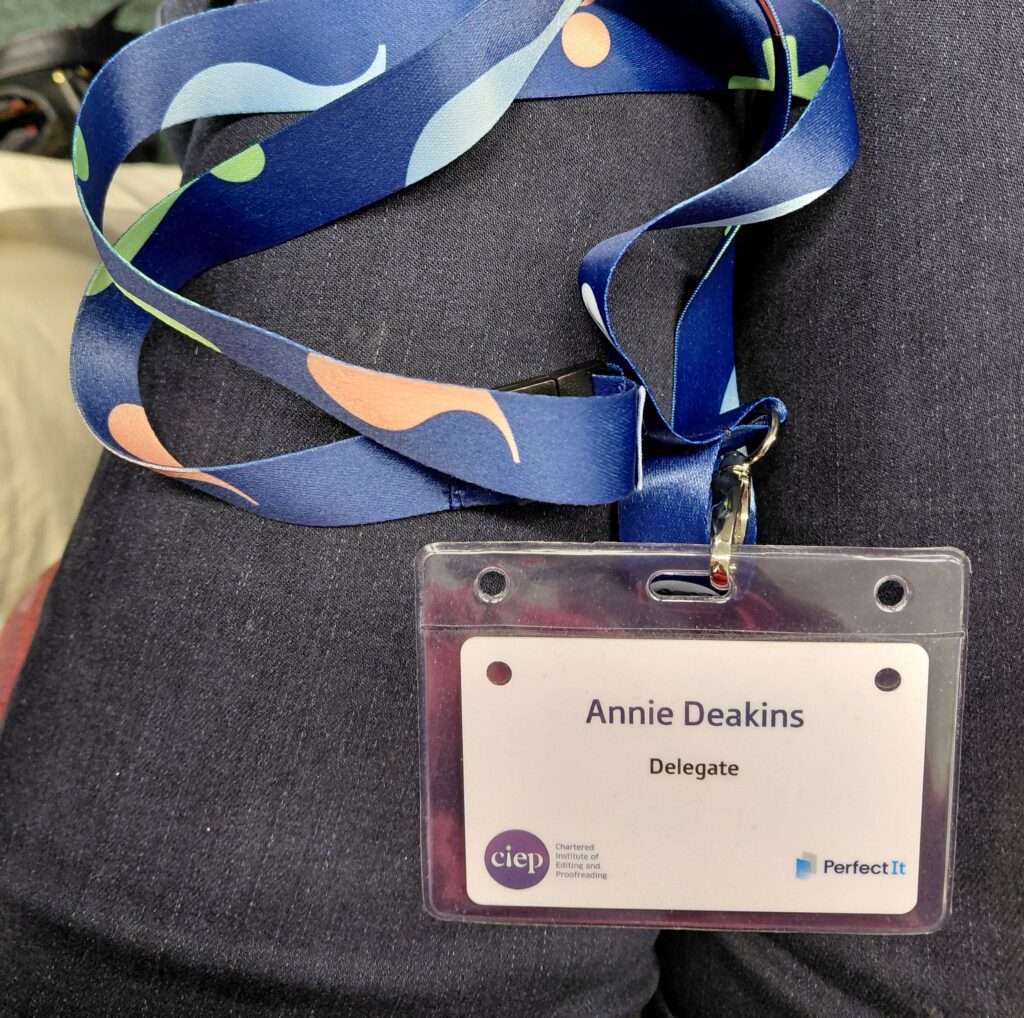
CIEP2025 conference delegate lanyard

Sprinkling publishing confidence,

Annie

Annie signature

Reading further

Here is the link to the last conference I wrote about … in Milton Keynes … in 2022. It contains links to my posts about previous annual conferences: CIEP2022 Conference – Editing in a Diverse World

Emailing

Email to check my availability for proofreading non-fiction and children’s books.

Subscribing

Subscribe to my newsletter Tall Tartan Times to receive new posts directly to your email.
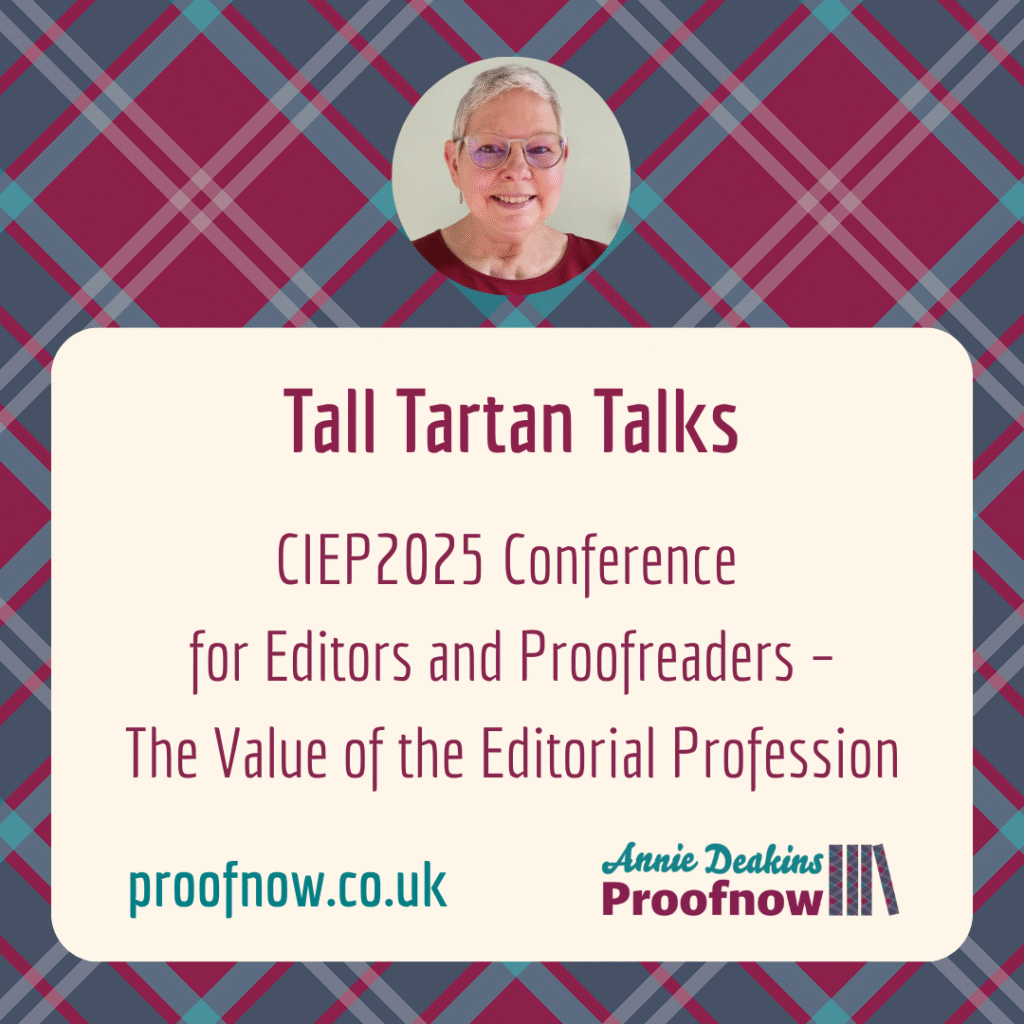
CIEP directory entry

Annie Deakins

The Dos and Don’ts of Writing Author Queries

Blog post called The Dos and Don’ts of Writing Author Queries

When editing or proofreading the writing of a client, there will be times when you want to query their use and consistency of styles in punctuation, spelling, or context. Here are some dos and don’ts for writing author queries.

Querying is a subtle skill and requires training, diplomacy and empathy.

Tall Tartan Talks here … The freelancer must be aware of the client’s style and to be self-aware.

Querying situations

There are several scenarios involving querying which depend on whether you have direct contact with the author or not. If you edit for indie, self-publishing authors, your contact will be solely with the author.

When I proofread for publishers, I usually have no contact with the author – all communication is with the project manager, or equivalent. On completion, I return my marked-up PDF and invoice. And move on.

One of my proofreading jobs for a publisher was unique, for me so far, because it involved liaising with the author via the desk editor. As the non-fiction book was substantial, I was to send queries in batches to the author, collate their responses written on their version of the PDF with my typesetter instructions on my PDF. Then send my final, annotated PDF proof to the desk editor. Intriguing.

Responding with comments

For context, my querying while proofreading happens when I am commenting on PDFs using the tools in Adobe Acrobat Reader. I mark up anything that trips me up. If it trips me up, it will trip up other readers.

The tips which follow also apply when copyediting using Track Changes in Microsoft Word.

The abbreviation AQ means Author Queries. When collating and indicating the author responses as separate to my typesetter instructions, I use AU to introduce each author response. That way the responses are easily seen.

When considering whether to query or not, consider these three main response types:

  1. Mark errors for change as per the agreed publisher’s style guide or freelancer’s style sheet.
  2. Query for the author to stet (keep) or change. Perhaps suggest alternative phrasing.
  3. Flag issues to make them aware.

Querying clearly

❌ Don’t be vague in your queries.

✅ Do be clear and concise.

When writing queries, put one issue and write one clear sentence with one point. Avoid adding too much detail and making the query overwhelming. Asking or suggesting is standard practice and gives the author control over how they respond. It is their book after all.

Giving pointers as to your editing schedule is helpful to the author so they know when you expect their responses to your queries.

Querying with diplomacy

❌ Don’t be pushy.

✅ Do be polite.

I learnt from many established editors and proofreaders about the art of writing author queries, during my proofreading training, when attending conferences run by Chartered Institute of Editing and Proofreading (CIEP), and by networking with colleagues.

Diplomatic phrasing includes starting sentences with:

  • Could … ?
  • Perhaps … ?
  • Should …?
  • I suggest …

Rather than writing, ‘This sentence needs to change’, write an alternative solution to the issue: ‘I suggest changing (X) to (Y) because …’

Your effort will be appreciated and it may spark the author into writing their own solution if they don’t take up your suggestion. It is their book, after all.

Using a text expander with access to your bank of standard queries will make it quicker to write and tweak them for individual clients, especially for those comments that require more thought.

I use ‘please’ with most queries because … it’s polite.

Querying efficiently

❌ Don’t send emails in daily, random messages with no system in place.

✅ Do query in batches.

When a desk editor asked me to query the author in batches, I remembered a process that a fellow editor used as a way to send queries. They recorded them in a table. It gives the author the opportunity to write their response next to the query. (See the link at the end.)

Here is my template. Remember, I am proofreading PDFs so my headings may look slightly different to a copyeditor’s queries using Word.

Author Queries Template in Word

Querying selectively

❌ Don’t fight every battle of style.

✅ Do look for the most consistently used style and apply.

The author’s voice will be in the author’s preferred style. Some style issues won’t be worth a battle.

Some queries need to take spacing into account at final proof stage when working with publishers. Major changes this late in the process will have a knock-on effect, so should be considered carefully.

Collaborating and compromising

I have learnt a great deal about being diplomatic when writing queries and asking questions. It is pleasing when the respect is mutual.

Clients appreciate having errors and issues spotted and are grateful. It gives them publishing confidence.

Communication and compromise are key. Their book, their choice. Collaborating with authors gives a sense of pride for a job well done.

Sprinkling publishing confidence,

Annie

Annie signature

BitmoAnnie Fairy sprinkling publishing confidence

Further reading

Blogging on a similar theme

Here are links to blog posts I have written that started the topic of collaboration.

Emailing

Email to check my availability for proofreading non-fiction and children’s books.

Subscribing

Subscribe to my newsletter to receive new posts directly to your email.
Balance the Freelancing See-saw

Balance the freelancing see-saw blog post

Balancing the ups and downs of your freelancing see-saw can be a challenge.

Tall Tartan Talks here … I’ve listed 12 ways in which freelancing is like life on a see-saw with ups and downs, how to maintain control and balance, and how to cope with swings that make us panic.

Scheduling time for each aspect helps give a sense of control. As a freelance proofreader, I try to manage the swings so that my schedule is manageable. A tip I have learnt: things may not get done unless they are scheduled. Included here are suggested reminders for fun.

12 Elements to balance

1. Managing clients

Freelancers need to balance client expectations, contend with deadlines and project requirements, while ensuring you are not overextending yourself or compromising on quality. Some clients raise ‘red flags’ in our minds with their requests. Ask yourself, is this client is a good fit?

2. Managing time

Freelancers need to manage their time efficiently to juggle multiple projects, meet deadlines, and allocate time for administrative tasks, such as invoicing and client communication. Develop the habit of, firstly, scheduling projects to allow ‘wiggle room’ and secondly, working on a job in manageable stages, perhaps easiest part first (or do you prefer to get the hardest part over with?). Try time blocking. Avoid daily overwhelm by taking regular breaks.

Schedule time: #TreatTime (eg do a hobby for 15 minutes.)

3. Managing finances

Freelancers need to manage their income and expenses effectively. There are times when you’ll earn more than expected (fantastic!). Boost your savings. Other times your income may be more limited than usual. Balancing your financial stability is crucial.

Whenever I buy something for my business, eg equipment, software, a course, and receive the receipt, I open my Excel Expenses spreadsheet and list the date and expense. I feel more efficient and in control. This means I am up to date with my evidence by 6 April for filing my HMRC Self Assessment Tax Return.

When I return the completed proofread I attach my invoice – this time opening my pinned Excel Invoices spreadsheet to enter the details promptly. Go so far as preparing the invoice before completing the job so that just the final details need to be entered.

Schedule time: #AdminMonday #FinanceFriday

4. Using time efficiently in times of famine

Freelancers can experience periods of busy work schedules and high demand (feast) followed by slower times with fewer clients and projects (famine). Balancing those extremes can be challenging (see point 3). When a client cancels or postpones work, perhaps another client can be brought forward? Or ask a colleague if they could refer work. Or is it time to book some CPD – that training course you’ve had your mind on?

5. Continuing Professional Development (CPD)

Freelancers need to keep their skills up to date to stay knowledgeable and instil trust. Scheduling time for ongoing training and skill improvement with client work is essential for future-proofing your business. I have completed many training courses run by the Chartered Institute of Editing and Proofreading (CIEP); if you’re a member you get a discount.

Schedule time: #TrainingTuesday

6. Balancing health and well-being

Freelancers need to maintain their physical and mental health. The demands of freelancing can lead to neglecting self-care, so finding the right balance is crucial. At least get out for some fresh air and look up at the clouds. My examples of exercise below use the hashtag popular on the socials (‘stet’ is an editing term meaning ‘Leave the marked word as it is’).

Schedule time: #StetWalk #StetRun #StetCycle #StetSwim

Or stroke a #StetPet

balance freelancing see-saw blog post

7. Networking

Building and maintaining professional relationships and networks are crucial for freelancers. Balancing that time and effort with doing paid client work is vital.

For me networking happens on a particular day when I attend two online groups on Zoom – one in the morning and one in the afternoon. One group is for all breeds of freelancers; the other is run by my Institute and is editor-specific (the CIEP).

Schedule time: #NetworkThursday

8. Marketing

Freelancers may need to promote their services to maintain a steady stream of clients. This can require a delicate balance of marketing efforts. Use social media to show up and show people your services. They won’t know what you do unless you tell them.

But, when work is challenging with a tight deadline, how do you find your next client if you have no time to do any marketing? Scheduling tools for social media posts can be your friend.

Schedule time: #MarketingMonday

9. Work–life balance

Achieving a healthy work–life balance is often a struggle for freelancers. The flexibility of freelancing can sometimes blur the lines between work and personal life, making it challenging to maintain boundaries. Anyone else work at the weekends? Sure, when necessary.

I used to resent it when I was a teacher and using my weekend for marking, assessment, and planning. There just wasn’t enough time during the week. My family suffered. I never saw them. I felt guilty. If you do feel the need to work at the weekend, make sure you balance it by taking one or two days off during the week to maintain control of your freelancing see-saw. And make time to see the people in your life who are important.

Schedule time: #FamilyFriday

10. Doing a variety of projects

Freelancers often work on a variety of projects with different requirements and clients. Balancing diverse tasks and meeting client expectations is like adjusting weight on a see-saw.

I prefer to book an easy project after the challenges of a long, complicated project as a way of changing gears. Of course, what is easy to one freelancer is not easy to another; it depends on our strengths and interests. How about treats or rewards? Do you reward yourself when a task or stage or project is complete?

Schedule time: #TreatTime (This hashtag also appeared in point 2 but treats are important to me as a great motivator!)

11. To specialise or generalise?

Freelancers can take the opportunity to specialise by providing editing or proofreading services in their niche. Editors that generalise say they can edit both fiction and non-fiction. Specialists offer editing in specific genres of fiction or non-fiction. The choice is yours. Using a previous career is a good starting point for a specialism as you already have more knowledge in that field than others, eg education, law, medicine, music. Or, you may want to move into a new area.

12. Flexibility versus stability

Freelancing offers flexibility but can lack the stability of a traditional job with an employer. Balancing the desire for freedom and autonomy with the need for financial security is an ongoing challenge. Flexibility of work hours and choice of clients is preferable, but the temptation of a regular income can be strong.

Balancing

Overall, freelancing, like being on a see-saw, involves constant adjustments and careful balancing and control to ensure a successful and fulfilling freelance life.

Up and down, up and down … How do you ride the peaks and troughs? How do you stay calm? Finding the right balance for each of these aspects is a key challenge for freelancers. But so rewarding when it works!

Sprinkling publishing confidence,

Annie

balancing the freelancing seesaw
Annie signature

Emailing

Email me to check my availability for proofreading non-fiction and children’s books.

Subscribing

Subscribe to my blog to receive new posts directly to your email.

Reading further

5 Most Read Blog Posts

5 most read blog posts

As it’s the start of a new year I have been using Google Analytics to investigate the statistics of my website.

Tall Tartan Talks here … What did Google Search Console tell me are the most popular blog posts and pages on my website?

Content marketing

I was interested to see which posts are the most popular and how my content is helping others, whether that’s fellow freelance editorial colleagues or clients (including self-publishing authors).

This analysis is aiding me in planning content; I’m spending some admin time planning blog posts for the next six months, thinking of ways to show my expertise. How to answer questions that I see being asked on social media or in online support groups. Or, indeed, am asked directly by email. Writing blog posts is an effective way to answer those questions.

Questions asked

Questions I’ve been asked frequently are concerned with running a business as a freelancer:

  • How do I become a freelance proofreader or copyeditor? What training should I do? Where can I get support? Clue: join a professional body like the Chartered Institute of Editing and Proofreading (CIEP) which gives discounts to members for training courses, as well as supportive forums and local groups, etc …
  • How do I set up a website?
  • How do I cope with feelings of overwhelm when setting up a new business?
  • How do I keep my inbox manageable?

5 Most read blog posts

I investigated the Google Analysis results and the 5 most read are seen below with links to each post. It also acts as a prompt in case you missed one and want a chance to visit the post.

  1. Review of 2022
  2. CIEP2022 conference
  3. Gardening Your Business
  4. 6 Website features you should check
  5. Manage emails

4 Most popular website pages

These pages of my website are ranked as having the most visitors:

3 Favourite blog posts to write

The following posts were my favourite to write over the last few years because they show my expertise to prospective clients:

For publishing confidence

Why blog? Having a blog post ready when a query pops into my email box makes it much easier and quicker to answer questions that are asked by fellow freelancers and clients, particularly independent authors. In short, giving the link to the post is more efficient and effective. And gives them confidence that I can help.

If you don’t have a website, sending a prospective client a link to your up-to-date LinkedIn profile will inspire confidence in that client that you have the training and expertise they need.

Two related questions I’ve been asked (to be turned into a blog post) are: What does a proofreader do/not do? And: Do you have any tips on how can I proofread my own marketing materials/writing?

If there is any topic you would like me to write a blog post about, let me know. I’m listening.

listening

CIEP2022 Conference

Blog post: CIEP2022 Conference 
for Editors and Proofreaders – 
Editing in a Diverse World

I travelled to Kents Hill Park in Milton Keynes for the 2022 annual conference of the Chartered Institute of Editing and Proofreading (CIEP).

As a hybrid event (also available to online delegates on Zoom), not only could delegates meet in person, but those with access issues as well as our international membership (over 25%) could ‘conference’ too. This brought extra meaning to our theme this year Editing in a diverse world which focused on the diversity aspect of editorial work.

kents hill park
Image credit: Kents Hill Park Training and Conference Centre website

The CIEP conference is held in September every year. The conference provides a range of interesting, relevant and stimulating workshops and seminars, as well as plenty of opportunities for networking with other delegates. My sixth conference was certainly this. It provided great company with fellow editorial colleagues, learning in the form of continuous professional development (CPD), and laughing … so much laughing!


Pre-conference tour

I arrived on the Saturday afternoon to join the pre-conference tour to The National Museum of Computing (TNMOC) next to Bletchley Park. According to its website, it is home to the world’s largest collection of working historic computers. A mind-blowing selection from the very first to the very modern … and everything in between. To see Colossus in action was truly impressive.


Speaker, author Katherine May

The conference began with an impressive first speaker. Katherine May wrote The Electricity of Every Living thing about her experience of finding out she was autistic at the age of 39. She explained how she decides whether to tell people she meets … It depends. It can cause unnecessary angst and stress, which was sad to hear. An inspiring talk about someone adapting their life to cope with being neurodiverse.


Choosing sessions

  • Live Proofreading
  • Creating accessible PDFs: Discoveries, pain points and practical steps
  • Websites that win clients: How to create or update your online home
  • Using referencing tools
  • What to expect when working with educational materials.


Live Proofreading

It was interesting to be in the Live Proofreading session to proofread real manuscripts and discuss what should be corrected or queried. We discussed using ‘pre-flight’ tools, or tools we use to clean up text in Microsoft Word (the industry standard) before the real scrutiny of the text begins. Tools such as PerfectIt and macros.


Creating accessible PDFs: Discoveries, pain points and practical steps

We learnt of features to let all have equal access to PDFs. Factors to bear in mind were structure and navigation of PDFs, including alt text on images, recording using voice recognition, colour contrast on images and websites, reading order and correct linking of website hyperlinks. The majority of my work is in PDF format. It helps if styles are formatted correctly before the document is converted to a PDF.


Websites that win clients: How to create or update your online home

My website proofnow.co.uk has been searchable since I first built it when my business was born. I rebranded to update my branding. Clients find me most often through the contact from on my website, so I know it works and is seen. I’ve written a blog post called 6 Website features you should check.

However, I felt it was time to modernise it as I direct publishers towards Proofnow Proofreader as my shop window.

The session reminded me of the impact my website must make and how I can influence that impact. For example, declutter by reducing the word count, use quality images, design call to action (CTA) buttons with my branding colours instead of using hyperlinks, reduce ‘Click here’ links (label what the links actually do, and … make best use of space. Tweaking my website will be my first business priority after conference.


Using referencing tools

Having carried out proofreading for students in the past, being reminded about referencing tools and software to increase speed in finding errors and inconsistencies was very useful. I was reminded of Word formatting tools and software for reference completeness and correctness.


What to expect when working with educational materials

As a former teacher, I was aware of all the elements that make up the material for educational packages for schools and colleges. From student books to pedagogy CPD, not forgetting the cultural considerations of … PARSNIPS. Two of my specialisms are Education and ELT so my second business priority is to investigate opportunities for freelance proofreading in these areas.


CIEP delegate pack
CIEP delegate pack

Enjoying the gala dinner and guest speaker

The food at the conference was delicious and in plenty. The gala dinner 3-course meal was exceptional and was rounded off by a speech by Rev Richard Coles of BBC fame. He was entertaining, as you’d expect, and he giggled with glee after telling each anecdote. He preferred not to talk about his first novel Murder Before Evensong with editors in the room.


Watching recorded sessions

Spare time after conference will be spent catching up with recordings of the sessions running concurrently.

That’s the huge benefit of a hybrid conference: all sessions are available after conference has ended! My thanks to all the conference team, the speakers, and especially to Ben Dare and his assistants for handling the visual and audio technology, including relaying the comments and questions from the online delegates to the in-person room. Watching them in action was awesome.


Learning from my main takeaways

My background for context: my proofreading clients are educational publishers, English Language Teaching (ELT) publishers, children’s book publishers, and self-publishing authors of children’s books. I also proofread non-fiction for adults, such as business books.

This conference has added to my learning and awareness that we should be sensitive in our use of language in areas of diversity.

I chose sessions that will benefit me and my clients at this point in my freelance business. Working with me will give my clients publishing confidence. Being a CIEP member means that I am a safe pair of hands.

Attending the annual conference reminds me that I’m proud to be part of a collaborative community who learns and laughs together. Conversations with edibuddies, both established and new (especially recent career-changers), are always valuable.


Next year

Next year we meet in Glasgow – my birth home. Tall Tartan hopes to see you there. And, yes, someone did greet me this year with, “It’s Tall Tartan!” So my branding is working 🙂


For my previous conference blog posts, follow these links: 2021 (online), no 2020 blog post, 2019 (Birmingham), and my first blog post about the second conference I attended in 2018 in Lancaster: Why SfEP conference is cool


Looking out for Tall Tartan

Here are my hashtags if you haven’t seen them and want to find my content on LinkedIn or Twitter. Simply type them into Search in your favoured social media channel, then follow.

#TallTartanTips: My tips on owning and running a freelance business

#TallTartanTalks: Blog posts

#TallTartanTimes: Newsletter


Emailing

Email me to check my availability for proofreading non-fiction and children’s books.

Subscribing

Subscribe to my newsletter to receive new posts directly to your email.

CIEP2021 Conference


CIEP2021 conference


The annual online CIEP conference of 2021, organised by the Chartered Institute of Editing and Proofreading, was a great success.

As in 2020 the conference was online again rather than at a venue in real life. This is an advantage for our international members and for those with access issues.

I have been a member of the CIEP for five years. This is the fifth conference I have attended.

There were some delicious highlights which I describe in this blog post.

Headline speakers

The two headline speakers I was most excited about were:

  1. Ian McMillan of The Verb fame on Radio 3. He is an English poet, journalist, playwright, and broadcaster. Known for his strong and distinctive Yorkshire accent, he has a friendly interview style. He spoke about ‘My unedited and unproofread life’, things he has spotted while touring village halls, and, what he thinks about signs on doors …
  2. Benjamin Dreyer, author of Dreyer’s English: An Utterly Correct Guide to Clarity and Style. He is copy chief at Random House in New York. A great conversation led by Denise Cowle highlighted his experience and wisdom. And that he can laugh at himself and with others.

Session highlights

I’m a freelance non-fiction proofreader, so conference session highlights for me were:

  • Crystal Shelley’s ‘Authenticity reading: Helping writers craft accurate and respectful representation’; also ‘Conscious and inclusive editing: understanding conscious language and the editorial role’

I was aware of authenticity reading, and conscious and inclusive editing from what other editors have shared online. But when Crystal gave concrete examples in her webinars of what is not acceptable in writing because of issues of sensitivity, I could understand how both fiction and non-fiction writers should show more conscious and inclusive language.

  • John Espirian’s ‘How to be a LinkedIn leader’

I have heard John speak about how to use LinkedIn effectively every year for the past 5 years at various conferences. I knew him as the internet director at the CIEP. Because I prefer LinkedIn as a social media channel, I lap up any advice he gives about how to take full advantage of it. I always learn something new. His book Content DNA is on my bookshelf along with other reference and business books.

  • Jill French’s ‘Using Word styles’

I have recently completed the CIEP course ‘Word for Practical Editing’. Jill presents the screencasts on the course. Her session on Word styles was a good reminder of tips I had retained, and skills that are still new and that I need to practice.

  • Suzanne Collier’s ‘Don’t get left behind: Career development for freelancers’

Suzanne shared excellent advice and resources about how to stay current in the world of publishers and publishing.

Lightning talks

The Lightning talks were great, as always. These are short presentations (5 minutes), on any subject, by any member, which are a pleasure to watch. Sometimes humorous, and always something new is learnt.

Networking

I attended the Speed networking on Sunday evening. This comprised of 15 minutes in Zoom breakout rooms, changing every 15 minutes, for two hours! My experience of attending the weekly Cloud Club West meant that  I could keep my introduction to the required 10 seconds. What a buzz!

This year, the attraction of themed networking in breakout rooms was very tempting. I wondered if I would meet edibuddies who had interests in the same field – educational publishing and marketing your business being two examples.

Quiz

The quiz is always fun and very competitive. The Zoom breakout rooms were invaluable for the quiz teams on Monday evening. I’m not hugely knowledgeable on anything, rather more a ‘jill of all trades’. The most amusing part for me was when members started changing their screen names from their official names to those reflecting quiz questions, or sessions held that day.

Wonder

For the café/bar experience there was the Wonder room. Wonder is an app which replicates real life, where you can meet other delegates and move around freely.

Conversations are activated by bumping your avatar into someone. Video and audio are then opened.

Sessions in Wonder were particularly effective after a webinar had taken place. Then they could be discussed with the speaker. Or a member would tweet on Twitter that they were in Wonder, if anyone was free to join them?

wonder room

Thank you

The chair of CIEP, Hugh Jackson, opened and closed conference with touching and heartfelt words. He spoke about the effects of Covid, our community and collaboration, and what comes next …

A grateful thank you to the #CIEP2021 conference team for another successful event of learning, networking and fun.

To read my blog posts about previous conferences (when the institute was the Society for Editors and Proofreaders) see these links:

SfEP2019 and Why SfEP Conference is Cool in which I write about SfEP2018.

The future

Hopefully I’ll see my fellow edibuddies at the next conference in Milton Keynes for #CIEP2022.

If real life isn’t possible, I’ll be just as pleased to see you all online.

signature

One Day in My Life as a Proofreader

One Day in my Life as a Proofreader blog

We all need a routine and a structure.  Here I describe one day in my life as a proofreader, editor and primary tutor.

Having a business mindset will help structure your daily routine.

Tall Tartan Talks here … Think of yourself as a business owner rather than a freelancer. Knowing your value and worth will help.

Morning schedule

In winter, my routine starts at 7 am; in summer it starts at 6 am. I used to be an owl and stay up late. As I hit middle age I turned into a lark with my day starting earlier and earlier.

It also depends on when my husband gets up. He sits at the dining table eating breakfast and reading a book. I mix a mug of hot water and lemon juice, sit at the other end of the table (that end is my ‘office’), and switch on my laptop.

He often spends the day gardening for clients and leaves the house early to cycle to work.

Answering emails

I find that the morning is the best time for me to respond to emails. Mostly I wake up thinking about phrasing a reply to a received email. Or, I have had a lightbulb moment about who to contact for a possible proofreading job.

I leave the emails in my draft folder, making a note to send them at 9am, which is the start of standard business hours.

Freelancers are as varied as the routines and schedules they follow. Flexibility is key as deadlines can determine the hours worked.

Completing tasks

At this time of the day, I may also get on with one of these tasks:

  • work on a proofreading or editing project
  • research facts for a proofreading project or blog post
  • complete a stage of a CPD training course
  • prepare a primary tuition lesson.

9.00 am: By the time Mr D has cycled off to work, I have usually done several sets of the Pomodoro timing method. I have completed a couple of hours of work or admin. I realise that I am hungry and should eat some breakfast. A break and a change of view is needed.

I take my Android tablet through to the living room, to a soft chair, where I can sit at the window and look out into the main street. I peruse the comings and goings outside my house, as well as those onscreen in the online newspaper reviews.

9.30 am: My sons (both in their 20s) have gone about their business. They are old enough to be independent, thank goodness. I get on with the next part of the morning routine.

10.30 am: Oldest son switches on the coffee machine for elevenses. By now, I have usually logged on to the CIEP (Chartered Institute of Editing and Proofreading) forums to view discussions. Since I joined the CIEP in 2017, the forums have become my online staffroom.

Lurking on social media

After coffee, I check social media and may post some content marketing, especially on Linkedin, whether that be freelancer business tips or a blog post.

If you don’t already, search for and follow my hashtags on Linkedin: #TallTartanTips and #TallTartanTalks. Then you won’t miss any of my tips.

Getting on with the day

For the next two hours, my routine continues. I may answer an email proofreading enquiry. The reply conversation goes like this:

  1. Receive an email through the contact form on my website. Currently I am getting enquiries from new, independent children’s authors. They ask if I’m available and how much I charge.
  2. I direct them towards the appropriate page of my website and give them my availability.
  3. I ask them to send the document so I can give a personalised quote. Or send, at the very least,  a 1,000 word sample from the middle of their text so I can judge how long it will take me to proofread. (The beginning and ends of the text are usually much better.)
  4. From that sample I can give them a quote. If the project needs my educational specialism, I will also factor in my 30 years of experience as a teacher. I know the value and knowledge I bring to a project.
  5. If the timing and rate suits them, I book them in by sending them a copy of my Terms & Conditions. (See templates in the Resources on my website). If the job is large (over 15,000 words) and is going to take a few days, I send an invoice for the deposit for them to secure a slot in my schedule.

Afternoon routine

1.00 pm: Lunch – joined by Mr D (if he is having an art day in his garden studio). We have been enjoying some comforting homemade soup. A perk of being freelance means I can take as much or as little time for lunch as needed.

2.00 pm: Desperate for some exercise and fresh air by now, I realise that it is time to take my eyes away from the screen.

For 30 minutes, I either head to the shops in town, or I take a brisk walk in the opposite direction, propelled by my walking poles, towards the nearby countryside.

Break time

3.30 pm: Time for a break to move around after another spell on the laptop, and to make a pot of tea. Fruit is the preferred snack if I’m being good. Cake on a Friday …

4.00 pm: Take part in a Zoom networking meeting. It could be CIEP Cloud Club West, or my accountability group, or another. Or it may be a tuition day when I tutor a primary-age child on Zoom.

5.00 pm: Time to wind down. I consider the achievements and the work I haven’t fitted in today. Notes are made for tomorrow, added to the e-list on my smartphone. I like the Evernote app.

Next, cooking the family dinner is a welcome distraction.

Changing habits from the past

When I was teaching primary children full-time (I Ieft the classroom in 2016), I left home at 7:30 am to be at school to prepare my classroom.

I left school each day at 6pm with a trolley-box full of the workbooks I hadn’t had time to mark after 3.15 pm.

I would continue to mark for at least a couple of hours in the evening. It became relentless after doing it for 30 years. I didn’t see much of my own children while I was busy educating the children of others.

Being the boss

When you own your business, you are your own boss. The responsibility is on you to do everything. This will either terrify you or excite you.

You and you alone are in charge of tasks like email admin, IT support (computer and website, and knowing what to do if something goes wrong or know who to ask); accounting (keeping track of income and expenses). Remember to plan time for networking, CPD and marketing. It helps if you know what to do if something goes wrong, or you know who to ask.

But I get a thrill from running my business efficiently and by doing some of the required tasks each day.

If chores get too overwhelming, break down each element of your big task into smaller chunks.

Relaxing in the evening

7.30 pm: I have a last check of my emails and social media. Notifications get switched off and I turn to something different. Maybe a book. As I got up so early in the morning, I’m usually running out of steam by this point.

I only work in the evenings or weekends if I have an urgent deadline or there is a rush job. I charge accordingly for working overtime.

After decades of working an infinite number of unsociable hours, I realise the major importance of having a work–life balance. It is vital for me to have a sense of my self-worth.

Here is the link to my blog page if you want to catch up with previous posts.

signature

Emailing

Email me to check my availability for proofreading non-fiction and children’s books.

Subscribing

Subscribe to my blog to receive new posts directly to your email.

5 Highlights From 2020

5 highlights from 2020

As weird as 2020 was, I have a few highlights from the year.

Tall Tartan Talks here … As I mentioned last year in my review of 2019, life as a freelancer has its ups and downs. This year has been, for some people, an extreme of that precarious situation.

Luckily, my freelance work life is mainly online, so I count myself blessed that I haven’t been affected too much.

I want to tell you about highlights in five areas. Well, more really, but five is a factor of 2020, so it sounded better.

Highlights

  1. Training
  2. Networking
  3. Rebranding
  4. Tutoring
  5. Cold emailing

1. Training

This year has been for me principally a year of learning and adding to my Continuous Professional Development (CPD) with the Chartered Institute of Editing and Proofreading (CIEP).

  • In December last year I began the proofreading mentoring scheme. By May I had completed it. It was a unique opportunity to have experience of  a wide range of real jobs with guidance and virtual hand holding from a highly experienced Advanced Professional CIEP member. I wrote about it in the blog post Editing Training Part 2.
  • A group of us formed an informal Accountability Group. Consisting of other CIEP members, it prompted me to achieve many CPD goals.
  • I attended the CIEP online conference in November. A huge highlight!
  • I completed the CIEP Copyediting 1: Introduction course.

2. Networking

Along with everyone else in the world in 2020, since March, all my networking has been carried out on Zoom. It’s a necessary evil.

A particular networking highlight this year was that I, along with other international members of CIEP, formed our Accountability Group. (Yes, I am mentioning this again …)

We share our goals fortnightly on a Zoom call. We use the messaging app Slack to have daily chats about wins and rants. It is our safe space.

Without their encouragement I wouldn’t have achieved half of what I have done this year.

3. Rebranding

This time last year, I aimed to research how I wanted the branding on my website and social media profiles to appear. I considered branding, my brand identity, values and colours. This is described in the My Branding Process blog post. I am particularly proud of this 2020 highlight.

I tweaked my website; made sure the Contact form worked; added an Upload file widget so that potential clients can add a sample of what they want me to proofread to their query.

I subtly changed the titles of my blog posts. Originally tagged #TallTartanTells, this was changed to #TallTartanTalks.

To help with tips for general efficiency, I wrote this blog post called Managing Emails after I read a book on productivity. Clearing your emails once a day by ensuring you have an inbox-zero situation can clear the head and prevent worry.

Sadly, I am not as strict with myself as I was when I wrote that blog post. Workload weight means that I tend to have a clear-out once a week these days … It has become a Friday job.

4. Tutoring

After such a busy couple of years of tutoring in 2018–19, I was worn out by the beginning of the year.

review of the year

By March, tuition had moved online using Zoom and interactive teaching software. Boy, was that a challenge! How to get the work to parents? How to ensure interactive learning?

More than half a year on, the online tuition routines are well established: work is emailed before the lesson, a variety of resources are enjoyed, and pupils can even share their screens.

The main highlight? Not travelling to their homes. The extra time taken to plan an interactive and challenging lesson, then email the parents with the information; versus the time saved by not commuting …

I wrote two blog posts with teaching tips this year: How I Teach English and How Do You Learn?

In July, one of my pupils left Year 6 (age 11) thereby finishing primary school. The two sessions of tuition per week I had done with them for two years became available.

The main reason I became freelance was to be in control of my work–life balance. Consequently, I took the decision not to fill those spaces with more pupils because I was losing that balance. Saying no to work is never easy, but preserving mental health is a priority.

Instead I did more editing and proofreading CPD using the extra time I had gained.

5. Cold-emailing

With my updated training skills and new branding, I was ready to offer my further proofreading skills to educational publishers and publishers of children’s books.

The last time I cold-emailed publishers (about 18 months ago) I invested a tremendous amount of emotional energy in the process. I thought about it far too much – not good.

This time I was wiser. I bought the Children’s Writers’ & Artists’ Yearbook 2020. I made a list of websites, contact names and email addresses. Once I had researched a publisher, certain that they published what I was interested in proofreading, the cold emailing began.

I found TextExpander very useful for giving me shortcuts for repeated phrases, so that they were much quicker to type, e.g. my email address, phrases like proofreader available, etc … Even a whole email was saved in my snippets so that it appeared when a simple shortcut “//query” was typed!

My CV was updated with my new branding, training and most recent experience. and I attached it, with the body of each short email acting as a covering letter.

However, it is important to bear in mind that the return reply rate is statistically low – a minimum of one in ten. This time I put emotion and desperation to one side in order to become businesslike and pragmatic.

Since then I have learnt that publishers aren’t keen on receiving email attachments. Therefore I now add a P.S. stating that my C.V. is available.

Once the batch of emails was sent for the day, I put them to the back of my mind, and got on with other jobs.

I am grateful to have received a couple of positive replies from publishers responding that they would add me to their books.

review of the year

Children’s book authors

Having re-vamped my website, I pushed the SEO (Search Engine Optimisation) on the page which advertises to children’s book authors.

It shouldn’t have been a surprise then when I had several enquiries from independent children’s authors (self-publishing). When I asked them how they had found me (I’m in several directories), their answer was always “Google”.

A proof-editing job I enjoyed was a series of 9 stories for young children. They featured the adventures of the same small character. I suggested tips for consistency across the series.  The author asked for advice on self-publishing. They weren’t the first to enquire.

I searched the hive mind that is the CIEP forums and found some gems of advice to pass on. I really hope the author publishes next year. Fingers crossed!

Perhaps I should add self-publishing advice for authors to my list of aims for next year …

Next year

So, to 2021 … plans need to be considered and formed, no matter what is going on in the world.

For the readers who haven’t seen them, look out for my hashtags #TallTartanTips and #TallTartanTalks on LinkedIn, Twitter and Facebook. They link to the blog posts which promote my editing and educational skills, as well as giving advice and tips.

Whatever your circumstances, here’s to the future, hoping 2021 is better.

review of the year

signature

Managing Emails

Blog post: Managing emails

Would you like to get your email inbox down to zero by the end of each day? I didn’t know such a thing was possible.  You may wonder, “Inbox zero? What magic is this?”

Tall Tartan Talks here … I discovered a non-fiction business book called Productivity Ninja by Graham Allcott. One particular chapter which struck me was about managing emails. His strategies were revolutionary for me. This blog post is a review of that chapter.

I was one of those people who had over 200 emails in each of my three inboxes. I sorted them occasionally. Of those emails, some were newsletters I subscribe to.

If I include my smartphone, I was prone to checking emails far too often. And the important emails got lost too easily.

slow hamster wheel

Sorting cluttered inbox

I starred or flagged some important or urgent emails for easy reference, but my inbox was becoming unmanageable. My professional email, annie@proofnow.co.uk was the fullest.

Then I found, in his chapter Ninja Email Processing, where Graham says, “Be a Ninja – take a ruthless approach to emails!” Now I adopt his strategy.

Interested? This is how you do it.

Reducing your inbox to zero daily

The bare bones of how to get started are:

  1. Open emails
  2. Create three new files: Action, Read, Waiting
  3. Scan the first couple of lines of each email. If it needs to be dealt with by you immediately, move it into Action. If it isn’t important, move it to Read. If you are waiting for someone else to action, move it to Waiting.

I used to look at my growing email notifications, groan inwardly, feel fear and overwhelm, avoid then stress about what might be in my inbox. When I was waiting for a particular email from a client, I would pause a job whenever a notification sounded, whether that job was proofreading, or tuition preparation. I had to check then and there who it was from, especially if I was expecting an email.

Stop!

Graham suggests that the problem needs to be viewed in a different way: your email inbox is just where your emails land; don’t check your emails, process your emails; and don’t let your emails nag you all day.

Developing a strategy

Firstly, look at your inbox as a landing page, not a to-do list. We tend to keep the emails in that inbox so we don’t lose them. The answer? New folders need to be created to hold actionable emails, and those emails which can be deferred.

Secondly, restrict checking emails to, at most, three times a day.

  • First thing in the morning, or 9am (or whenever your business day starts).
  • Second around 4:30pm to give you 30 minutes of reducing your email list to zero. Or later, if you don’t stop on the dot of 5pm.
  • Third, you may also want to check emails at lunchtime.

Me? … I am slowly weaning myself off reading of emails after 8pm … in an attempt to maintain work boundaries. The same goes for checking social media or message channels. (My excuse is that some of my editor colleagues are in a different time zone.)

How to process (not check) emails

  1. Scan the first email for a couple of seconds. Don’t hang about. Ask yourself, is it vital I action this? If yes, move it to Action.
  2. Scan the next email. If someone is acknowledging they will action something you have delegated, move it to Waiting. This guarantees that you will have a reminder to follow this up.
  3. If the next email is something not at all urgent but for perusing, say, a subscription which you want to read at your leisure, move it to Read. Don’t start reading it now.
  4. Repeat steps 1–3.
  5. By the end of 30 minutes, there should be zero emails in your inbox.
  6. Repeat three times a day.
management

Naming subject folders

You may be like me and organise your emails into many subject, client-baased, or archive folders. Again, this can get out of hand. My next job is to whittle those down to more efficient labels. So that when I have gone through my burgeoning Read folder, I will move each email to a re-named folder, or delete it.

Graham’s theory is that if you have only three folders to move the incoming emails into, it makes decision-making and sorting much easier. Agonising will be reduced to a manageable level.

If, say after a week, you look in the Read folder and email subject is no longer current or valid, then delete it. Or move it to an archive folder.

One of Graham’s tips is to think of a set of Ds: Decide, Do, Delegate, Defer, Delete.

Cutting the dead wood

Perhaps you subscribe to newsletters by email. For example, if you follow particular people for their business or subject knowledge … There are many out there. It may be time to review them and prune who you subscribe to.

Try subscribing to one for six months. Count how many of their newsletters you actually read and action in those six months. Be honest. Be brutal. Cut out the dead wood and unsubscribe if the answer is only one or two. That is one way to reduce the number of emails you get.

If you are successful with this method, you have more control over those incoming emails.

Overwhelming information overload

Information overload is a threat to our productivity, so I recommend Graham’s book if you want to be proactive about reducing that overload. By managing your emails – and your time, by procrastinating less – you can focus on your priorities.

I look forward to finishing Graham’s book. Guess what? I have signed up for his newsletter. Oh, the irony!

One further tip I have found since is to turn off email notifications so that I am not tempted to stop a job instantly to check emails. They are now under my control. I check them when it is convenient to me.

There you have it. If you learnt something from this post, head over to my Blog page.

Author background: Graham Allcott

Founder of Think Productive (@thinkproductive), Graham Allcott is an entrepreneur, author, speaker and podcaster, offering coaching strategies for business and time management. He is host of the podcast Beyond Busy. His book was first published by Icon Books in 2014, and totally revised in 2019 because of the advances in technology.

Other great chapters in Graham’s book include:

  • The Organize Habit
  • The Review Habit
  • The Do Habit
  • Stop Messing About on Your Phone.
strong arm

Sprinkling publishing confidence,

Annie

signature

Emailing

Email me to check my availability for proofreading non-fiction and children’s books.

Subscribing

Subscribe to my blog to receive new posts directly to your email.